Trove

Find anything on your phone by describing it.

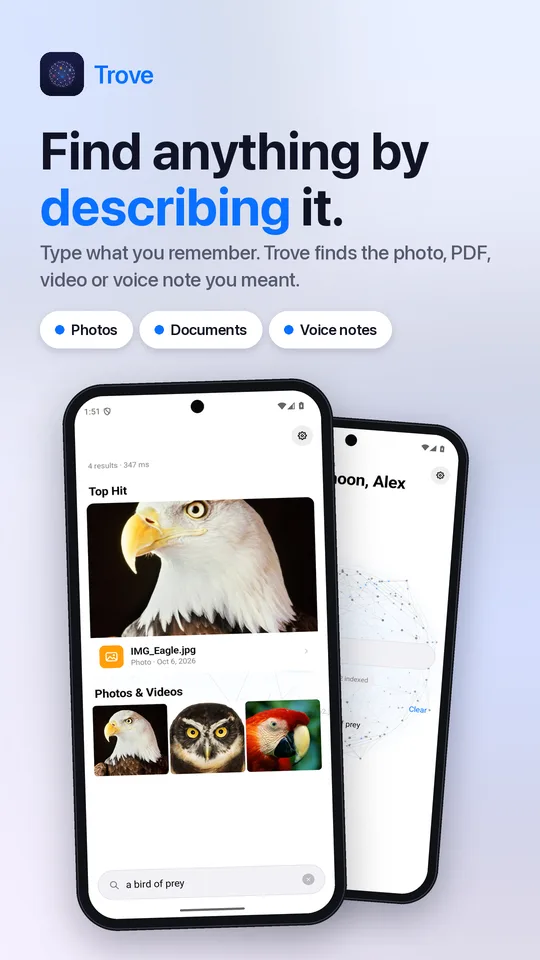
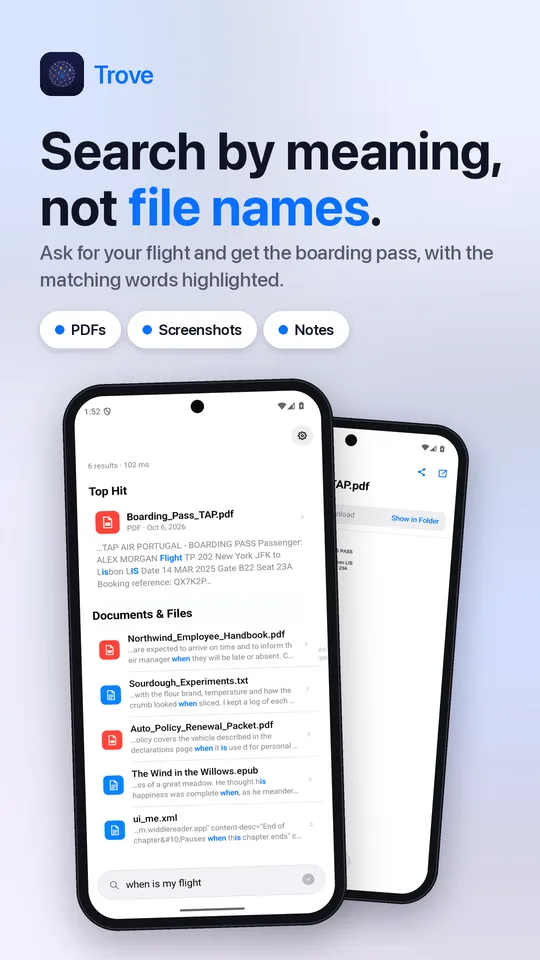
Type “boarding pass”, “sunset at the beach” or “wifi password”. Trove finds the photo, PDF, screenshot, video or voice note you meant, with AI that runs entirely on your phone.

Join the free beta How it works →

Android 10 and up · Free · No account

Trove finding photos of an eagle, owl and parrot from the search “a bird of prey”

Search by meaning, not file names.

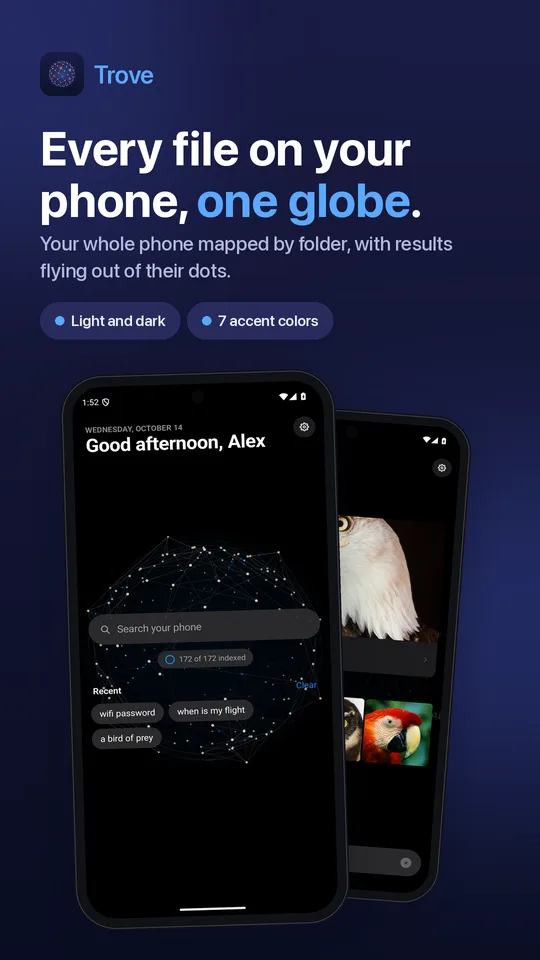
Trove keeps a living index of everything on your phone, reads the text inside images and PDFs, and uses Google’s EmbeddingGemma model to understand what each file is about.

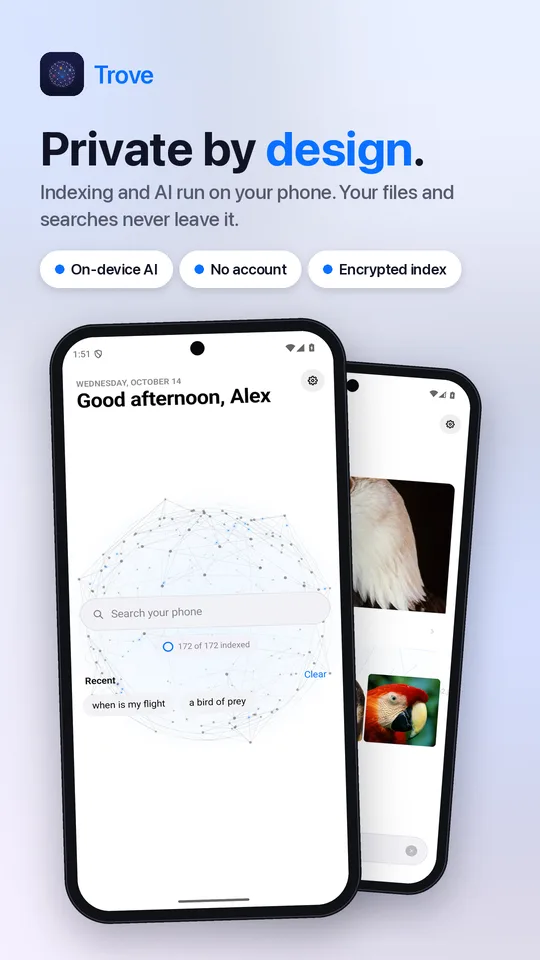
Private by design

Indexing and AI run on your phone. Your files and searches never leave it. No account, no cloud.

A real file manager

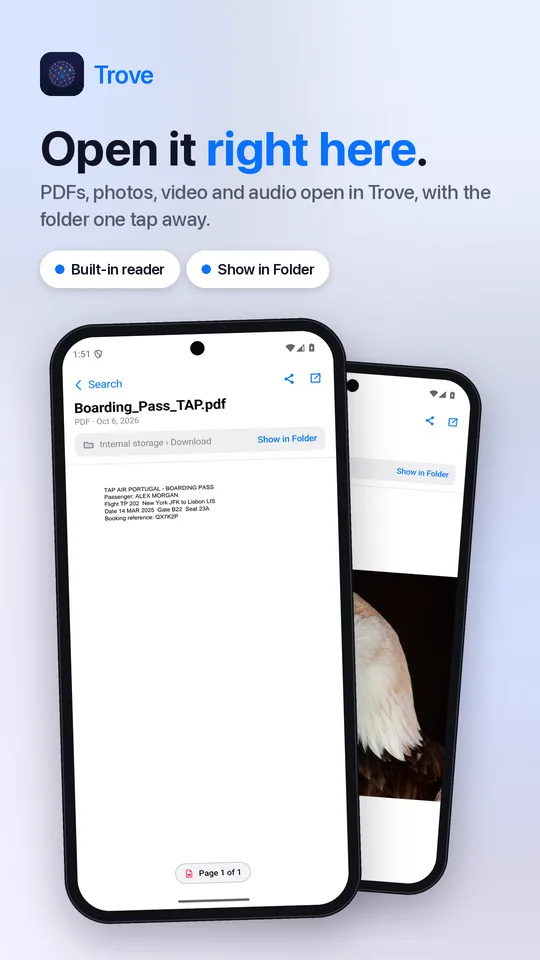
Browse, copy, move, rename and delete, with “Show in Folder” on every result. A full replacement for your phone’s file manager.

Built-in reader

Open PDFs, photos, videos, audio and text right in Trove, or choose “Open with Trove” from any app.

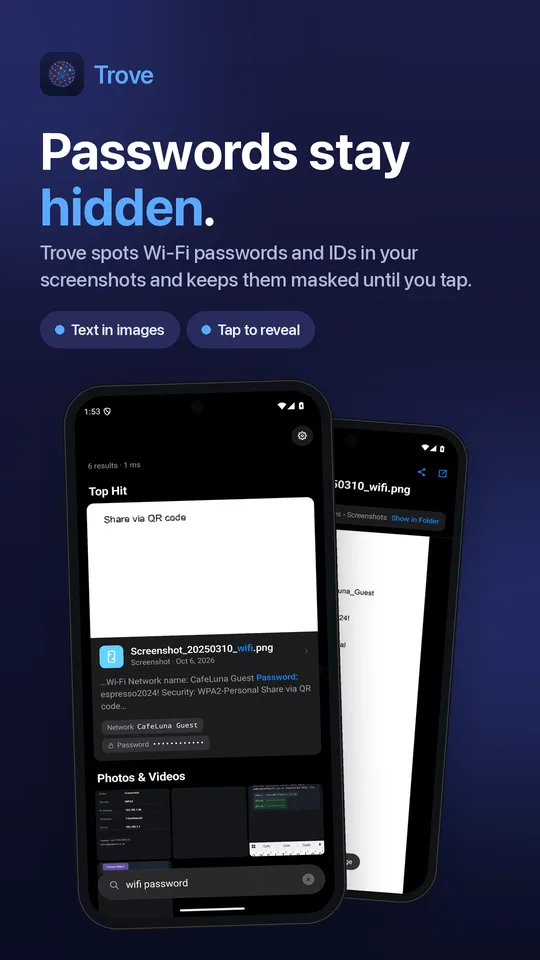
Passwords stay hidden

Wi-Fi passwords and IDs found in screenshots stay masked until you tap to reveal them.

Easy on your battery

Heavy indexing happens while Trove is open or your phone is charging. New files are picked up automatically.

Free

Every feature is free. A small banner ad, or remove ads for good with one purchase.

See it in action.

Search by describing Search documents by meaning The globe of your files Built-in reader Hidden passwords Private by design

Join the beta.

Trove is in a closed test on Google Play. Testers get it free, early, with every update.

  1. Join the tester group with your Google account: groups.google.com/g/trove-app-testers
  2. Opt in on Google Play: play.google.com/apps/testing/com.widdlestudios.trove
  3. Install Trove from the Play Store and keep it for at least 14 days. Feedback goes to studioswiddle@gmail.com.